01 · Compose
Design on a canvas you know
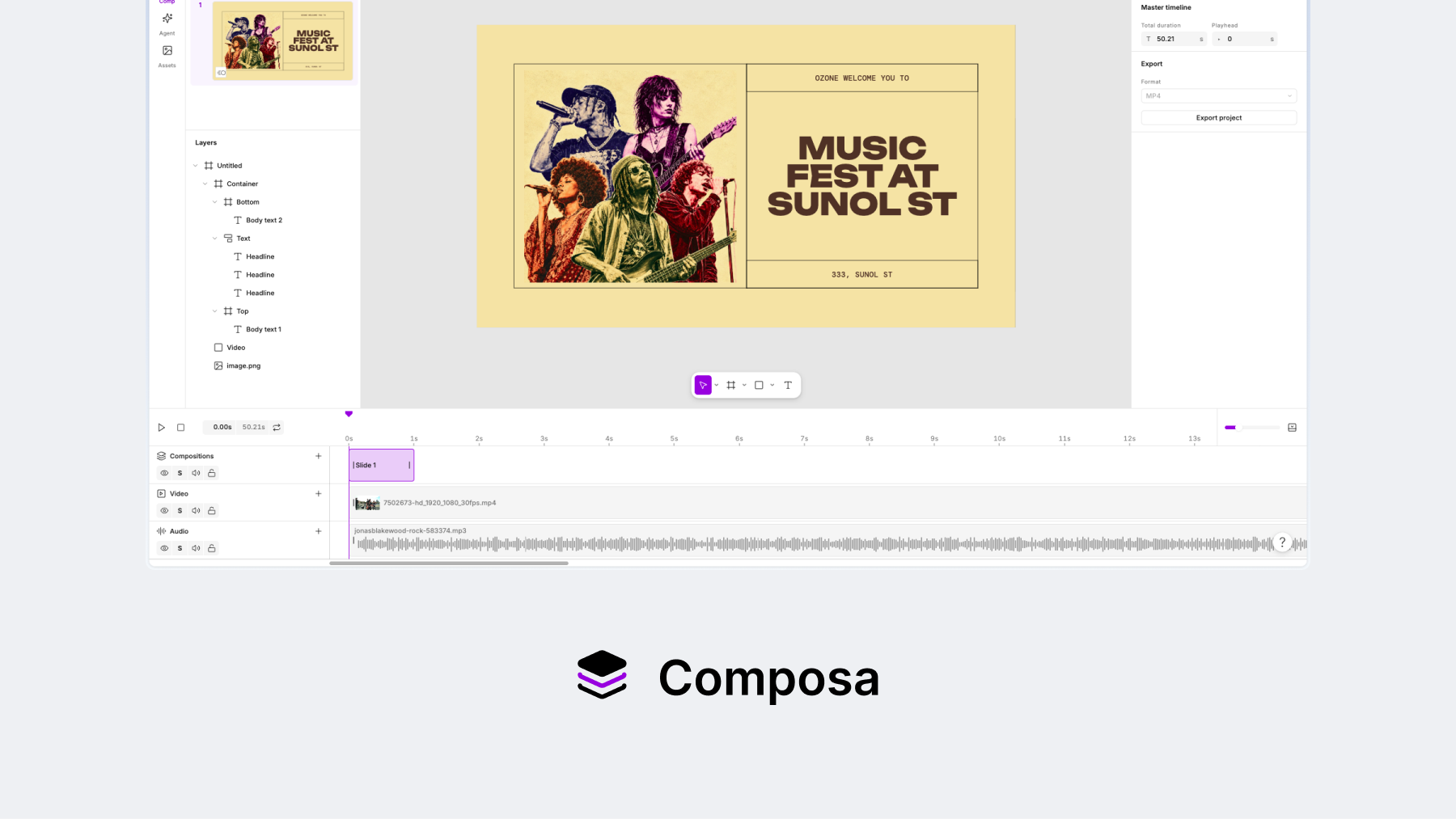
Paste a design from Figma, then arrange its layers with the same canvas controls, layout models, and property panel designers expect from a design tool.
Composa · Web · 2026
Composa is built on a simple belief: the skills designers use in Figma or slides should carry over to video editing.
The problem
Two things break when designers move into video. Their Figma or slide-making skills no longer map to the editor, and the design itself becomes a flat asset without its original layers or controls.
The product
Composa keeps the canvas and property controls designers already know, then adds the timelines and media tools needed for video.
01 · Compose
Paste a design from Figma, then arrange its layers with the same canvas controls, layout models, and property panel designers expect from a design tool.
02 · Add media
Import video and audio, then place them on separate tracks under one playhead.
03 · Animate
Start with Build in, Action, and Build out, then use the motion gizmo, keyframe diamonds, easing, and property controls to refine the result.
04 · Direct
Describe a change and Composa applies it to the canvas or timeline. The result stays editable.
Key decisions for V1
The first version was centered on one flow: paste a design from Figma, add video and audio, animate it, and export one video.
Competitive research
I looked beyond traditional video editors to tools for animation, asset creation, explainers, and text-based editing. The opportunity is to bring those jobs into one editable canvas and timeline, building from the familiar motion model already in V1.
Designing media for V1
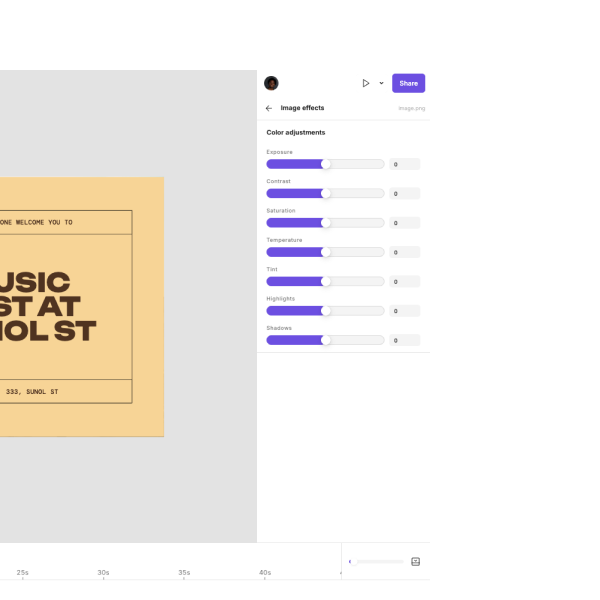
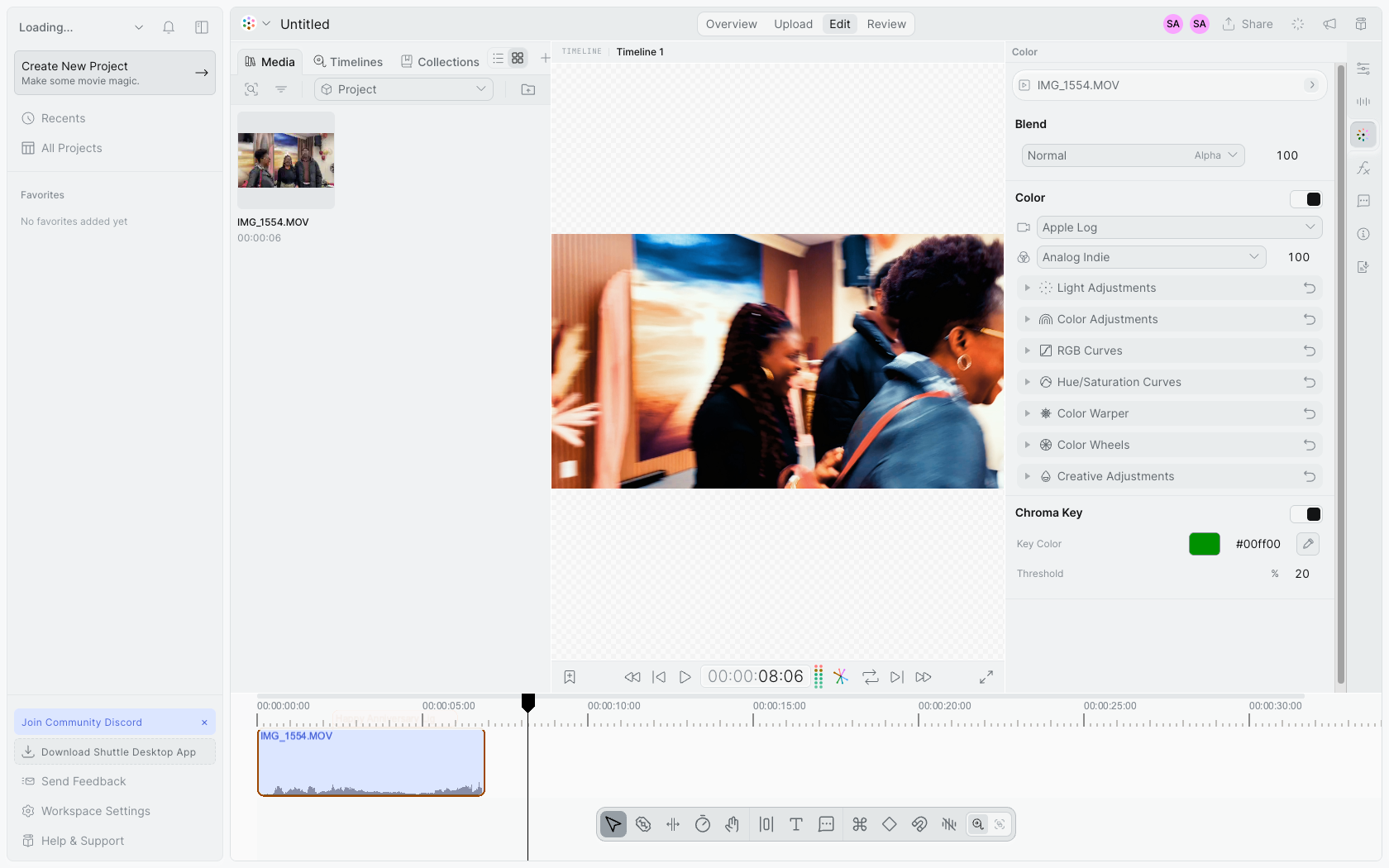
The canvas and timeline established the editing model, but a credible video editor also needs media and audio effects. I used Sequence as a reference and translated its controls into Composa’s design system.
Translate the useful controls from the reference into a system that belongs beside Composa’s canvas properties.
 Composa
Give audio the same legible, direct-manipulation model as the rest of the editor.
Composa
Where it stands
Composa is live in public beta for you to try. I intend to launch publicly soon and track signals on how it’s received as I decide whether to keep growing it as a side project or turn it into an open-core, founder-led business.
Reflection
Building Composa taught me to put a working product in front of people to test the opportunity, and how to build production-scale software efficiently with AI workflows.
I saw a gap between design and video, then built a public product people could try. The strongest signal comes from putting the idea in front of the market.
I learned to give AI agents clear tasks, test their work, and review changes before shipping. Turning that into a repeatable process helped me move faster between design and code while staying responsible for the product.
 Keynote
 Palmier
 Descript
 Guidde
 CleanShot