 Userem.site
  App Store
01 · Onboarding
Onboarding explains Rem’s privacy model, connects the tools it can use, and introduces daily briefs, suggestions, and the assistant itself.
Rem · iOS · 2026
Rem captures what you mean to do, turns it into a task, and helps move the work forward.

Context
Tasks, messages, notes, and calendar commitments live in different places. Keeping up means switching between them, rebuilding the plan in your head, and still doing the work yourself. Rem brings those priorities into one assistant that can help decide what matters and move the work forward.
Core flows
01 · Onboarding
Onboarding explains Rem’s privacy model, connects the tools it can use, and introduces daily briefs, suggestions, and the assistant itself.
02 · Capture
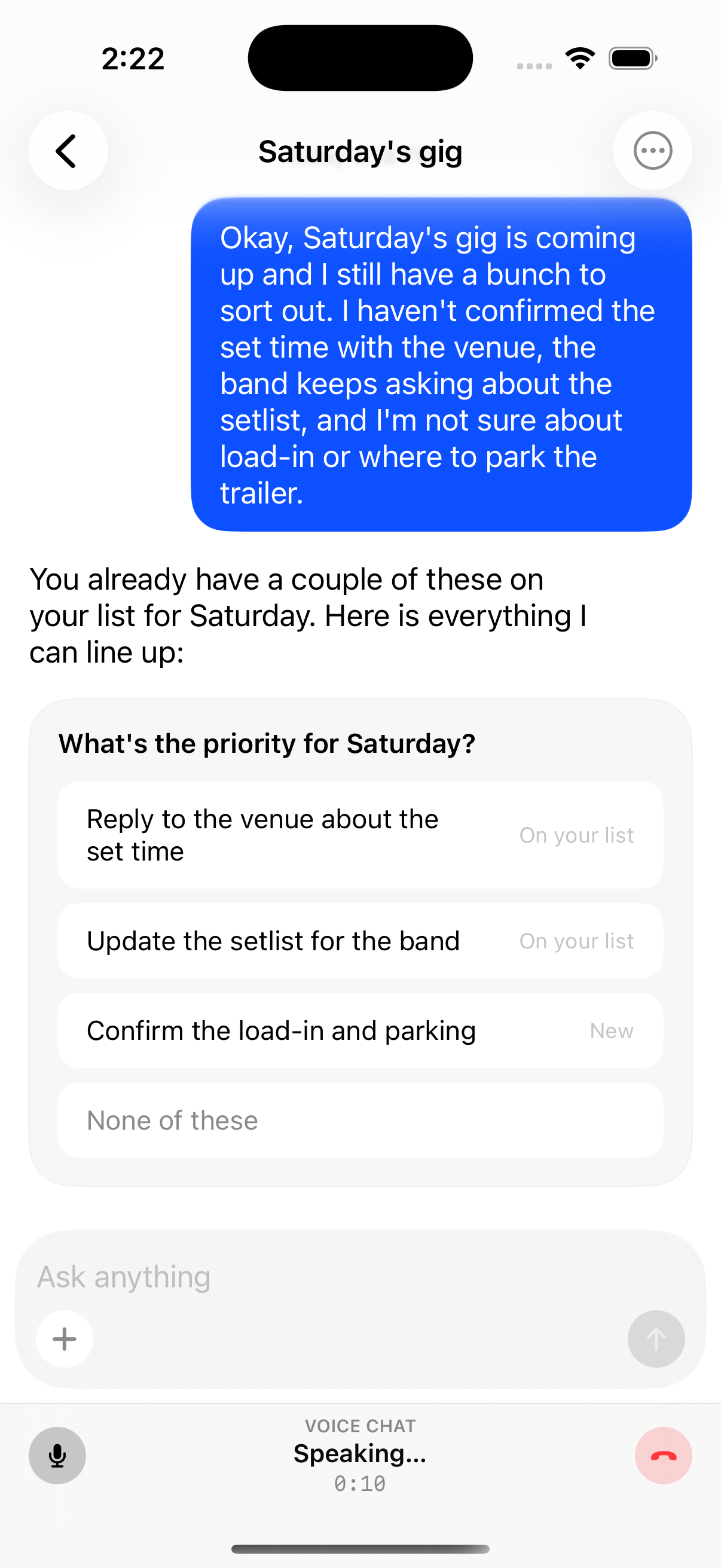
People can start with a thought in their own words. Rem clarifies what they mean, offers a few useful ways to act on it, and turns the chosen direction into structured work.
03 · Orient
The agenda brings calendar commitments and tasks into one view, while Rem suggests useful work it can add from the surrounding context. Moving between days makes it easier to see what slipped, what matters now, and what comes next.
04 · Work
Each task keeps Rem’s activity and result easy to follow, so people can see what was done and continue the work without rebuilding the context.
05 · Brief
The daily brief brings important changes, overdue work, and upcoming commitments into one spoken update. When nothing needs attention, Rem can stay quiet.
Interaction direction
Voice was prioritized as Rem's primary mode of interaction to reduce two kinds of friction: the time it takes to type a request and the time it takes to read a response. Speaking and listening made interaction with the assistant feel more like a natural conversation.
I audited voice experiences across  Gemini,
  HUXE,
HUXE,  Arc,
Arc,  Todoist,
  Claude, and
  Codex and found novel patterns for listening, speaking, and moving between the two. They helped me see voice as more than a replacement for typing: it could package information for listening, support a back-and-forth conversation, or shift between those roles as the person’s needs changed.
References
HUXE An assistant-led daily brief packages context and leads the conversation.
Todoist Ramble Loose user input becomes structured task context.
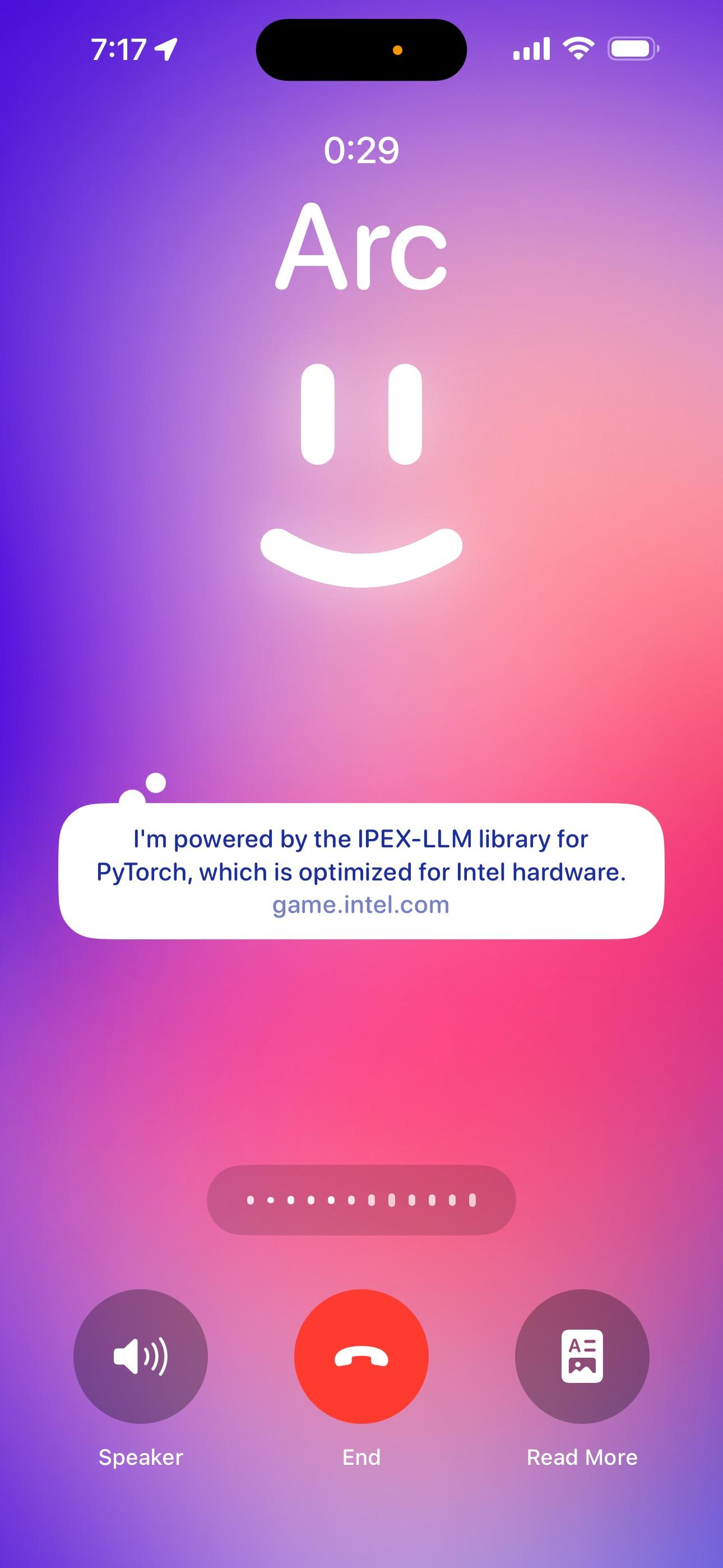
Arc Voice A familiar call metaphor makes a voice-first assistant immediately legible.
I was initially drawn to making voice feel distinct, which led to several modes and states at once. I reset around the familiar chat thread and introduced new patterns only when a feature needed them. Establishing this baseline of simplicity gave the interface a clearer architecture: start from conventions people already understand, then expand an existing pattern toward novelty when new functionality calls for it.
Product positioning
I started with assumptions about privacy, setup, and where people would begin:
For the first version, I used OpenClaw as the runtime and deployed it on a cloud computer for each person. This reduced setup compared with a fully local agent. Longer term, I plan to replace OpenClaw with a Rem runtime that can run on a computer the person owns.
Rem can use integrations when a service exposes the actions it needs. However, some work has no integration path. Browser and device control let Rem use the same interfaces people do, opening a different category of tasks. Together, those constraints made two decisions central: where personal data lives, and what Rem can control.
ClaudeOpenAI Clovy
Clovy Hermes
 OpenClaw
Today, Rem runs on a cloud computer. The longer-term direction is for Rem to run on a local user-owned computer with the cloud used for encrypted backup and access.
ClaudeOpenAI AGI, Inc.
Phone as remote. People can start, approve, and monitor advanced work on the phone while a desktop computer handles longer-running tasks.
Future product direction
The mobile app established Rem as a remote for work running elsewhere. Moving beyond the mobile app means supporting more devices and the context they can provide: a Mac can expose apps and screens, while wearables can add camera, audio, and other ambient inputs. That opens new input types such as video and screen sharing without requiring every interaction to begin on the phone.
A local Mac could become the runtime the phone connects to and controls. Rather than copy the mobile interface, the desktop experience could let voice continue while people multitask, draw over other apps, and inspect Rem’s work as it happens.
Ambient capture creates a build-or-integrate decision. My current direction is to let the mobile app discover compatible wearables and use them as a live video input, proving the interaction before considering purpose-built Rem hardware.
Where it stands
Rem is available on the App Store for iPhone. Reaching that point meant narrowing the product around a dependable loop for capture, planning, and follow-through, and removing ideas that did not strengthen it.
Once that foundation was defined, I released Rem under the Apache 2.0 license. Open sourcing gives other builders a working system they can examine and extend while I continue shaping the product experience.
Reflection
Rem was my introduction to building with AI as a developer. Working directly in the code let me test an interaction, understand the system constraints behind it, and refine both together. It moved me toward the design-engineering practice I use today.
The project began with me persuading friends to help turn an ambitious idea into a product. Once the core was defined, I open-sourced it so the thinking could travel beyond that circle. I am learning to lead through a clear point of view and a foundation other people can challenge, extend, and build with.